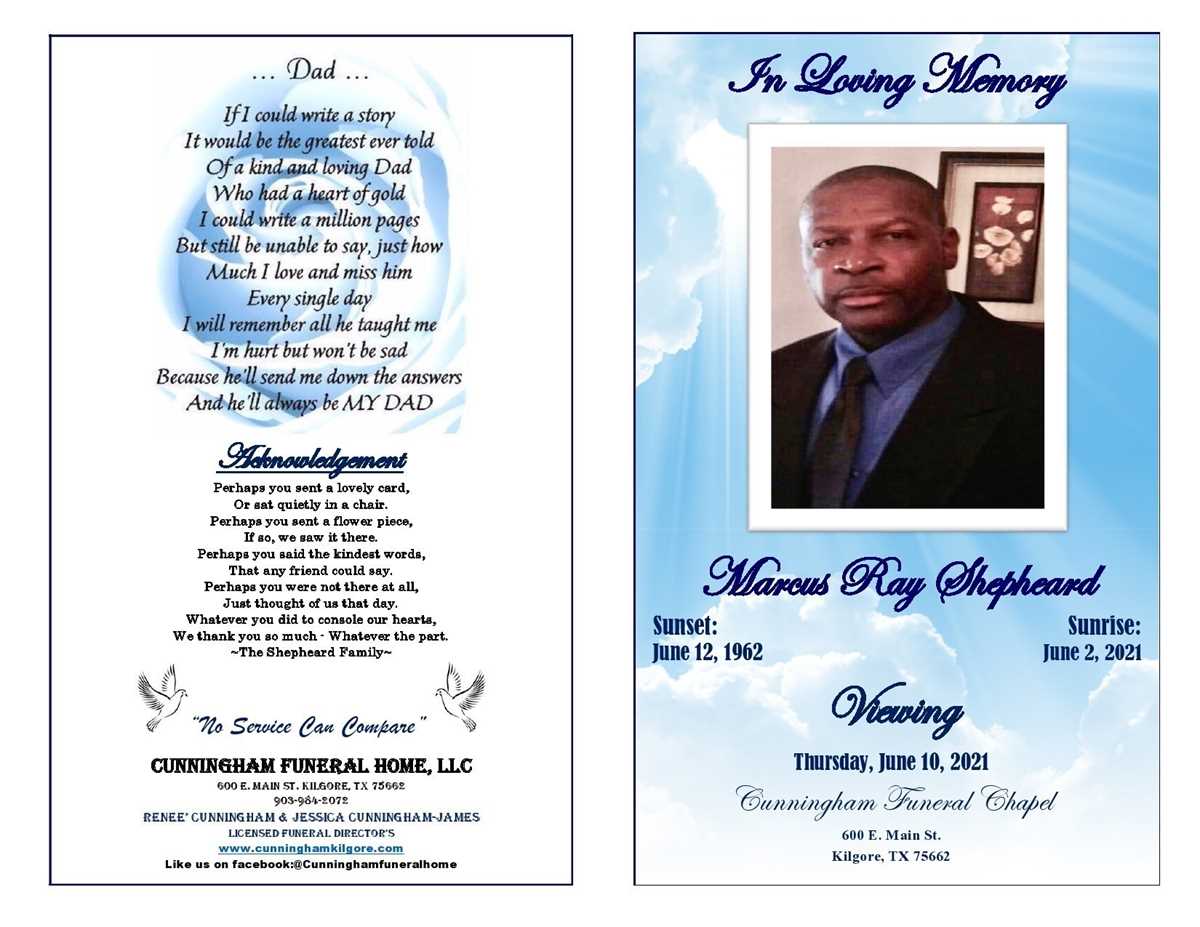
Select a clean memorial notice layout with a clear hierarchy: full name in 18–24 pt serif, dates in 12–14 pt, and body text in 11–12 pt for optimal readability on A4 or US Letter sheets. Keep margins at least 0.5 inches to prevent trimming during standard home or copy-shop printing. Choose a two-column structure only if the text exceeds 350–400 words; shorter announcements remain clearer in a single-column format.
Include verified details in a fixed order: full legal name, nickname (if used publicly), birth and passing dates with city and state, a concise biographical paragraph of 80–150 words, immediate family members, and service information with venue address and time. Limit the total length to one page; two pages increase paper costs and reduce distribution convenience during services.
Use high-resolution images only–minimum 300 DPI at final size. A portrait should be at least 2×2 inches to avoid pixelation. Convert photos to grayscale if printing on standard black-and-white printers; this avoids unpredictable color shifts. Save the final file as PDF with embedded fonts to prevent layout changes across devices.
Choose paper weight between 120–170 gsm for a sturdy feel without curling in desktop printers. Matte finish reduces glare under indoor lighting. For a more formal tone, select ivory or light cream stock; bright white works best with modern minimalist layouts.
Proofread names, dates, and service locations against official records before producing multiple copies. Print one test page to check margins, image clarity, and ink density. Store the final file in both editable and locked PDF formats to allow last-minute corrections while preserving the approved version for distribution.
Obituary Template Printable
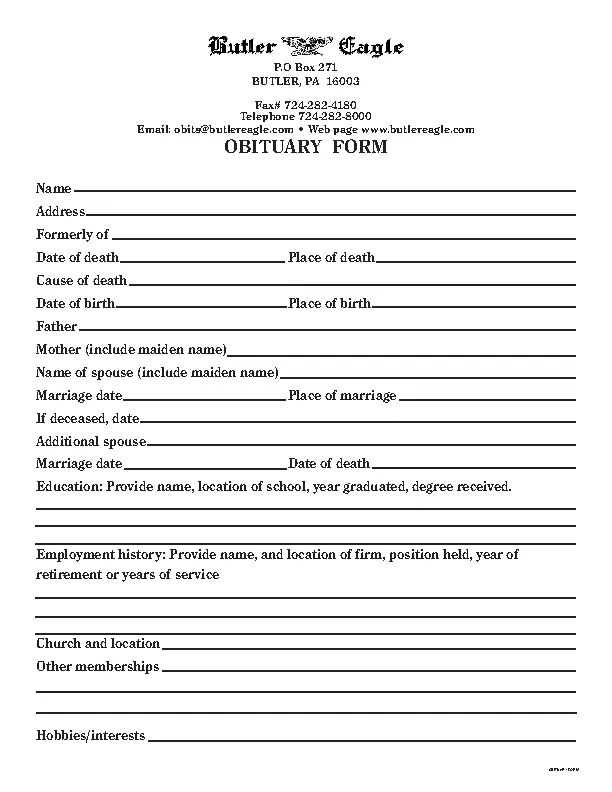
Choose a structured memorial layout with clearly defined sections for full name, dates of birth and passing, place of residence, family members, service details, and donation information; limit the total length to 250–400 words for newspaper submission and 400–700 words for a ceremony handout to maintain clarity and fit standard column sizes.
Use a clean serif font such as Times New Roman or Garamond at 11–12 pt for body text and 14–18 pt bold for the name header; keep margins at 1 inch on all sides to avoid trimming during home or shop printing. Set line spacing to 1.15–1.3 and avoid full justification to prevent uneven gaps between words. For a two-column newspaper format, restrict column width to 2–2.5 inches and break text with short paragraphs of 2–4 sentences.
Structure the content in a fixed order: announcement of passing (full name, age, date, city), biographical summary (education, career, military service, achievements), family listing (survived by and preceded in death), service arrangements (date, time, venue, dress code), and memorial contributions (charity name with mailing address or URL). Avoid vague phrases; include exact dates, city names, and relationships such as “daughter, Maria Lopez of Austin, TX.”
For photo placement, reserve a 2×2 or 2.5×3.5 inch frame at 300 dpi resolution; use a grayscale image for newspaper reproduction and a high-contrast color version for ceremony programs. Align the portrait left with text wrapping or center it above the headline name; maintain at least 0.25 inch padding around the image to prevent crowding.
If submitting to a local paper, verify word limits and pricing per line; many outlets charge by line count, so trim adjectives and repetitive achievements. Replace long honorific lists with one concise sentence. Check deadlines, typically 1–3 business days before publication, and confirm whether the outlet edits for style or requires exact copy.
For home distribution, export the memorial form as a PDF in letter size (8.5×11 inches) or A4 depending on region, embed fonts, and select “high quality print.” Use 24 lb paper stock for a sturdier feel during services. Print a test page to check margins, image sharpness, and alignment before producing multiple copies.
Include a short quotation or verse only if space allows; limit it to 1–2 lines and place it below the name in italics. Avoid decorative borders that reduce usable space; if a divider is needed, use a thin 0.5 pt horizontal rule. Keep punctuation consistent, especially in date formats (e.g., March 12, 1948 – January 3, 2026).
Proofread names, dates, and service locations against official records and confirm spellings with family members. Read the text aloud to detect awkward phrasing or duplicated information. Save an editable file version for future updates and archive the final PDF with a clear filename such as “Smith_John_1950-2026_Memorial.”