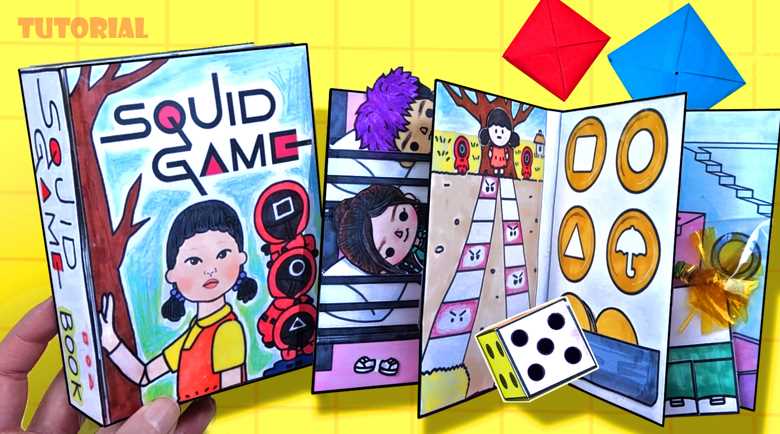
For an exciting and memorable event, designing customized invitations is an excellent choice. By crafting a set of cards that are easy to print, you can capture the essence of a themed experience, adding a personal touch. A good starting point is to find the right visual elements–such as symbols, colors, and fonts–that embody the atmosphere you’re aiming for. The right designs will make your invitations stand out while keeping the theme clear and engaging.
Choose High-Quality Graphics when selecting imagery for the invitations. Opt for symbols that will instantly evoke the desired feeling. These can range from minimalistic to more intricate designs, depending on the complexity of the theme. Ensuring that the images are clear and of high resolution will allow them to print well without pixelation.
Customize and Adjust for Print to fit your paper size and design preferences. Make sure the dimensions are set correctly for your printer to handle. Adjusting the layout in a design program can help balance text, icons, and borders, ensuring a neat, professional finish. Consider adding a slight margin for easier cutting once printed.
Experiment with Colors and Typography to enhance the visual impact. Choosing bold, contrasting colors can highlight key features, while a well-thought-out font selection can ensure the text is legible and aligns with the theme. Play around with different styles until you achieve a look that feels cohesive.
Once you’ve finalized the design, printing is the last step. Choose paper that is durable enough to handle multiple uses if needed. A thicker card stock provides more structure and a premium feel, which adds to the overall experience.
Designing the Ultimate Invitation Card for Your Event

To create an eye-catching invitation for your themed event, start by selecting a high-resolution image as the base. Focus on elements that match the aesthetic of the show, using bold, contrasting colors. Use an image editing tool to adjust brightness and saturation for a more striking appearance, ensuring the visual impact is immediate.
Opt for a simple but impactful message. Include only necessary details such as the event date, time, location, and any important instructions. Avoid cluttering the design with excess text that might distract from the main visuals. Keep the wording clear and concise, aligning with the tone of the theme.
For easy printing, set the dimensions of your design to an ideal format, such as 4″x 6″ or 5″ x 7″. This will make the cards easy to print on standard paper sizes. Keep the margins clean and well-aligned to prevent cutting off important text or images during the print process.
Incorporate geometric patterns or symbols related to the series to enhance the look. For instance, elements like circles, triangles, or squares can be used to convey the show’s iconic symbols. This adds thematic depth without overcrowding the design.
Ensure that the fonts you choose are legible at various sizes. Stick to bold fonts for headlines, and use simpler, easy-to-read fonts for smaller details. Adjust the font sizes proportionally to maintain a balanced design where no text overpowers the visuals.
Consider the paper quality you will be printing on. Heavyweight paper, such as card stock, can give a premium feel to your design. Choose a matte finish for a more sophisticated look or a glossy finish to make the colors pop and give the cards a shiny appeal.
Lastly, review your design for alignment. Every element should be placed symmetrically or asymmetrically in a way that guides the viewer’s eye through the content. A grid structure can help maintain organization and keep the design tidy, ensuring all key information is prominently featured.
Once satisfied with your design, save the file in a format suitable for printing, such as PDF or JPEG. This will ensure the best quality when it’s time to print. A test print is always recommended to check for any color or text issues before printing the entire batch.
How to Create Your Own Custom Template Using Basic Design Tools
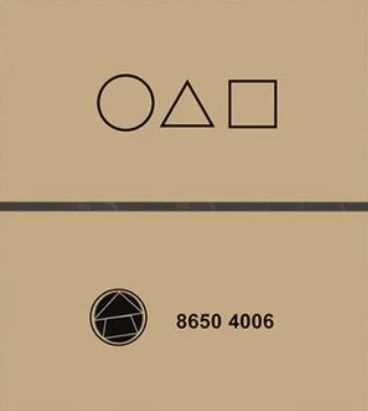
Start by selecting the right software. Free tools like Canva or Google Drawings are ideal for those who need a simple interface. These platforms allow you to create and customize designs without any steep learning curve. Choose a blank canvas and set the dimensions for your project based on your final output needs.
Define the shape and layout of your design. Begin with basic geometric elements–rectangles or circles are a good starting point. Ensure the proportions are well balanced for easy readability. This can be adjusted later for finer details.
Next, focus on the core symbols and patterns that will be part of your visual identity. For instance, use vector icons or draw custom ones for a unique effect. Keep the shapes simple and bold, ensuring they are easily identifiable even at smaller sizes.
Choose a color palette that matches the theme you’re going for. Limit the number of colors to maintain cohesion. Stick to contrasting shades for text and background to improve visibility. Dark tones paired with neon or bright accents often work well for this type of design.
Add text in a clean, legible font. Use a large size for headings and a smaller one for additional information. Fonts like Arial, Helvetica, or any basic sans-serif option are perfect for clarity. Ensure there is enough contrast between the text and background colors to make the words stand out.
Finally, save and test your design. Export it in a high-resolution format such as PNG or PDF to maintain quality. Before printing or sharing, make sure everything is aligned properly and that no elements are cropped or distorted. Adjust the spacing and alignment if necessary to perfect your final product.