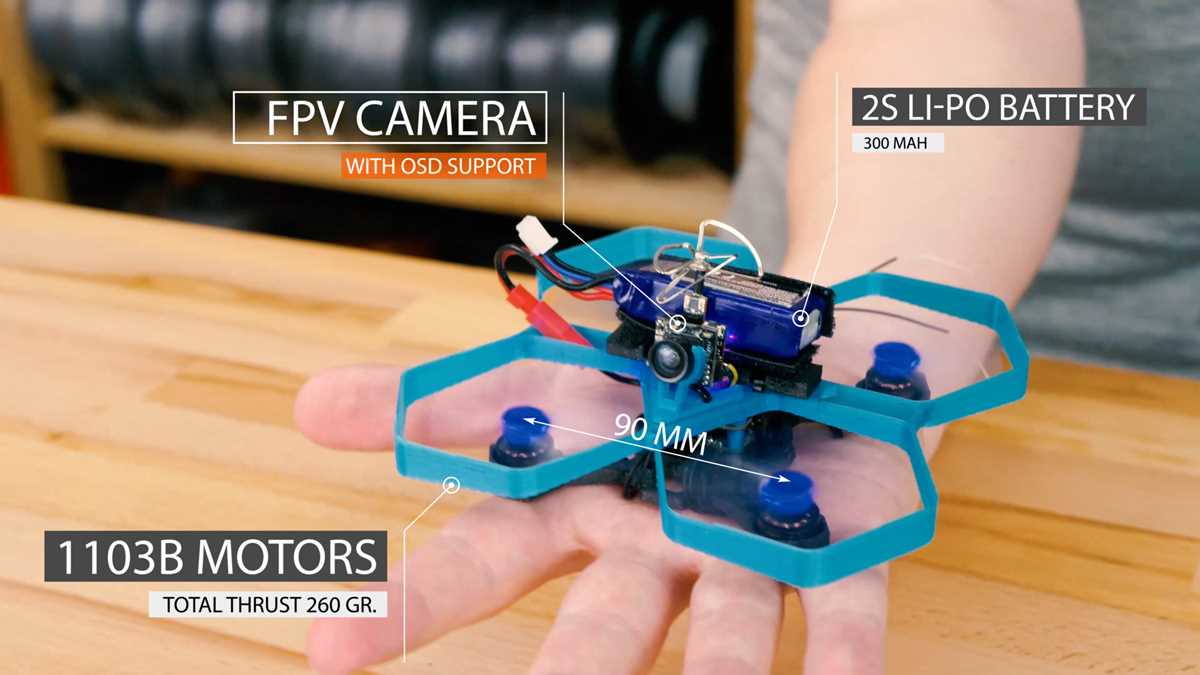
Start by exploring websites that offer free and paid models for various aerial machines. These resources provide detailed files that you can download directly to your computer. Once you’ve chosen a design, make sure to check the file format, ensuring it’s compatible with your 3D printer’s software.
Before you begin assembling, it’s important to choose the right materials for the components. For strong, durable parts, select high-quality filament like ABS or PETG. These materials offer better resistance to impacts, which is crucial for a functional flying object. Using lighter filaments such as PLA is fine for smaller designs, but for more robust builds, go for the tougher options.
Once you’ve printed all the parts, the next step is assembly. Make sure you have the necessary tools like screws, motors, and controllers to complete the structure. Following the assembly guide carefully ensures that everything fits properly and operates smoothly. After assembly, test the machine in a controlled space to check the functionality of each part before taking it outdoors.
3D Designs for Aerial Machines
To begin, explore platforms that offer various models for building flying machines. Websites like Thingiverse and MyMiniFactory have free and paid files ready for download. You can select the model based on your desired size and features, ensuring it fits your printer’s capabilities.
Before printing, it’s important to carefully choose the right materials. For lightweight designs, PLA is a popular choice, but for more durable and long-lasting builds, ABS or PETG is recommended. These stronger filaments will help your creation withstand outdoor conditions and regular use.
Once the parts are printed, you’ll need to assemble them. Most models come with step-by-step instructions, but you’ll also need additional components like motors, propellers, and flight controllers. Assembling the parts correctly is crucial for a functional machine that can actually fly.
After assembly, test the machine in a controlled environment, such as a spacious indoor area or a large backyard. Adjust any necessary settings on the flight controller and ensure all components are securely in place before attempting to fly it outdoors. The process may require some trial and error, but with patience, you can build a high-quality flying machine.
How to Find and Download 3D Models for Your Flying Machine
Begin by visiting popular design repositories such as Thingiverse, Cults3D, and MyMiniFactory. These sites host a variety of models for flying machines, offering both free and premium designs. To find the right one, use specific keywords like “aerial vehicle” or “quadrotor” to narrow down your search.
When selecting a model, check the file compatibility with your 3D printer’s software. Most designs come in STL format, which is widely supported. Before downloading, review the design specifications and user feedback to ensure the model is suitable for your printer’s capabilities.
Once you’ve found a suitable design, download the file to your computer. Most platforms allow you to download directly by clicking the “Download” button next to the model’s description. Save the file in a designated folder for easy access when you’re ready to start printing and assembling your parts.