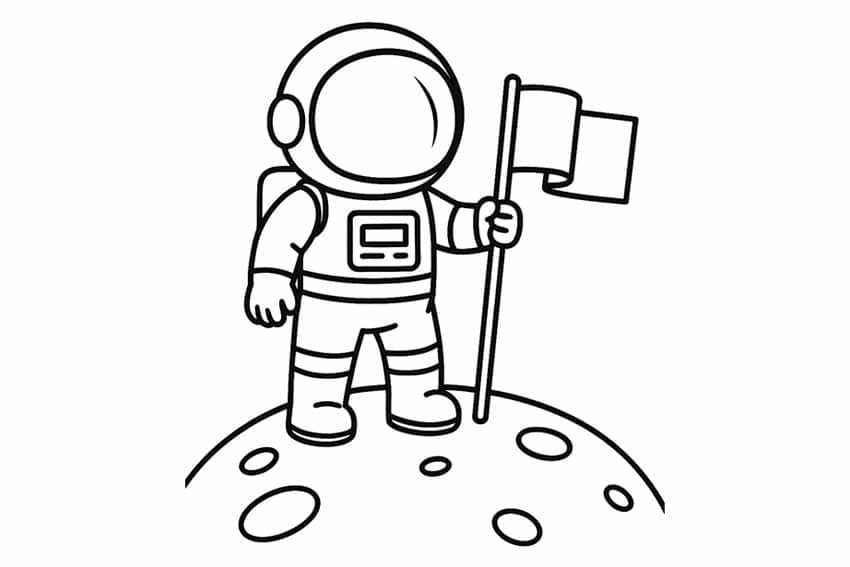
Choose a high-resolution space explorer outline (300 DPI or higher) formatted for A4 or US Letter to avoid pixelation and scaling issues during printing. Files in PDF ensure fixed proportions, while PNG versions with transparent backgrounds work better for layered crafts and digital cutting machines. For classroom use, select black-and-white line art with 2–3 mm stroke thickness so children can color within clear borders without tearing thin paper sections.
Astronomy-themed craft sheets work best when aligned with the child’s age and task complexity. For preschoolers, opt for large helmet visors and simplified suit details that require fewer than 10 cut segments. Elementary students can handle articulated limbs, mission badges, and separate backpack units. If the goal is a bulletin board display, use cardstock between 160–220 gsm to prevent curling, especially if glue, paint, or glitter will be applied.
For repeated classroom activities, laminate the space crew figure and attach hook-and-loop fasteners to swap mission patches, tools, or planetary backgrounds. At home, print multiple copies in grayscale to reduce ink usage, then encourage children to customize suits with metallic markers or foil paper. Structured craft sheets paired with short facts about space missions or orbit basics turn a simple coloring activity into a focused learning session rather than random decoration.
Before distributing copies, test one sample page with your printer set to “actual size” instead of “fit to page.” This prevents distortion of helmet proportions and ensures compatibility with pre-cut craft frames or shadow boxes. Proper file selection, paper weight choice, and scaling control determine whether the final figure becomes a sturdy classroom prop or a flimsy cutout that bends after one use.
Astronaut Printable Template: Practical Guide for Parents and Teachers
Select a space explorer cutout file with clear vector lines and a minimum resolution of 300 DPI to prevent blurred edges after printing. Choose PDF format for stable scaling across devices and check that the page is set to “actual size” before printing to avoid distorted helmets or uneven suit proportions.
Match the complexity of the space crew figure to the child’s age group. For ages 3–5, use designs with large helmet areas, solid boots, and no more than 8 separate parts. For ages 6–9, include detachable gloves, oxygen tanks, and mission badges that require precise cutting. Older students can assemble jointed limbs using paper fasteners to simulate movement during classroom demonstrations.
Use paper with a density of 160–200 gsm for crafts that involve paint, glue, or layered elements. Standard 80 gsm sheets wrinkle under wet materials and bend when displayed vertically. If the figure will be hung on a bulletin board for several weeks, reinforce the back with thin cardboard to maintain structure.
Provide blunt-tip scissors for younger children and pre-cut small components such as hoses or antennae to reduce frustration. For group activities, prepare labeled envelopes with individual suit parts so distribution takes less than two minutes per student.
Integrate the space-themed cutout into short academic tasks. Add a small fact card about orbital speed (approximately 28,000 km/h for low Earth orbit missions) or the average duration of a stay aboard the International Space Station–around six months. Attach these facts to the figure’s backpack section so the craft doubles as a mini research project.
Encourage personalization through controlled material choices. Metallic markers simulate reflective visors, while aluminum foil pieces create a realistic helmet sheen. Limit glitter to specific suit segments to avoid excess debris on classroom floors.
For reusable classroom sets, laminate the explorer figure and attach hook-and-loop strips to interchangeable elements such as national flags or mission patches. Store laminated pieces flat in labeled folders to prevent curling at the edges.
Test one assembled sample before distributing copies to confirm that glue drying time does not exceed 5–7 minutes and that all tabs align correctly. A single trial run prevents misaligned backpacks, loose helmets, and wasted paper during full-class activities.
How to Choose the Right Astronaut Printable Template for Preschool, Elementary, and STEM Activities
Select a space explorer outline with fewer than 10 large деталей for preschool groups, ensuring each part is at least 3–4 cm wide to support safe cutting and simple assembly. Thick contour lines (minimum 2 mm) help children distinguish suit boundaries from decorative elements.
For kindergarten classrooms, choose single-page character sheets without detachable accessories. Avoid thin connectors between helmet and body; these areas tear quickly under frequent handling. A one-piece figure reduces glue use and shortens activity time to 15–20 minutes.
Elementary students benefit from multi-part crew member designs that include backpacks, gloves, and mission patches. Provide versions with labeled parts so children can match oxygen tanks, visors, and boots correctly. This adds a light identification task without extending the craft beyond 30–40 minutes.
For STEM-focused lessons, select a detailed space suit diagram that highlights life-support systems. Look for layouts that visually separate the helmet dome, communication unit, and propulsion pack. Pair the craft with a short explanation referencing International Space Station operations to connect the activity with real orbital missions.
Check file specifications before downloading. A resolution of 300 DPI prevents pixelated curves around helmet edges, while vector-based PDFs allow resizing without distortion. Avoid low-quality JPEG files under 1 MB for full-page prints; compression artifacts often appear around fine lines.
Assess adaptability for interdisciplinary projects. A customizable crew figure with blank flag panels supports geography tasks, while an unlabeled suit diagram works for labeling exercises in physics or engineering classes. Choose layouts that leave open areas for writing or attaching fact cards.
Review printing compatibility. Designs optimized for A4 may crop on US Letter paper unless margins are adjusted. Activate “actual size” in print settings to maintain correct proportions of helmet diameter and torso length.
Download at least two variations of the space crew cutout–one simplified, one detailed–so you can adjust the activity based on classroom pace and student skill level without searching for new files during the lesson.