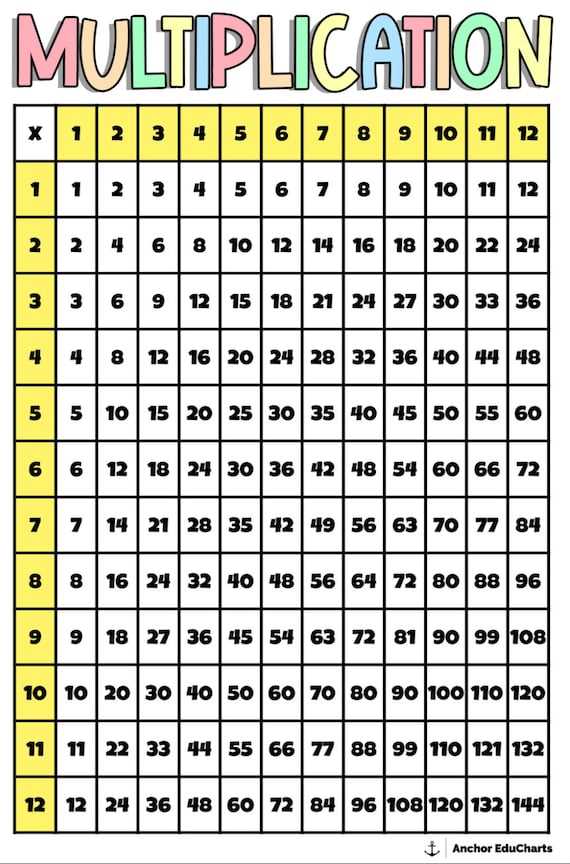
For young learners, practicing number patterns is a key part of mastering basic math. A simple, well-organized reference grid can help visualize how numbers interact during multiplication. By using these tools, students can better memorize facts and quickly solve problems without relying on a calculator.
When working with these grids, it’s important to print one that is easy to read and aligns with the student’s current level. For example, grids should cover the basics, such as numbers 1 through 12, to ensure thorough practice. Larger grids can be useful for advanced students or for reinforcing concepts once they master the basics.
To optimize learning, try incorporating the chart into everyday activities, such as games, quizzes, or timed drills. This not only improves recall but also builds confidence as students become more familiar with math patterns and can quickly solve problems without assistance.
Multiplication Chart for 4th Grade Students
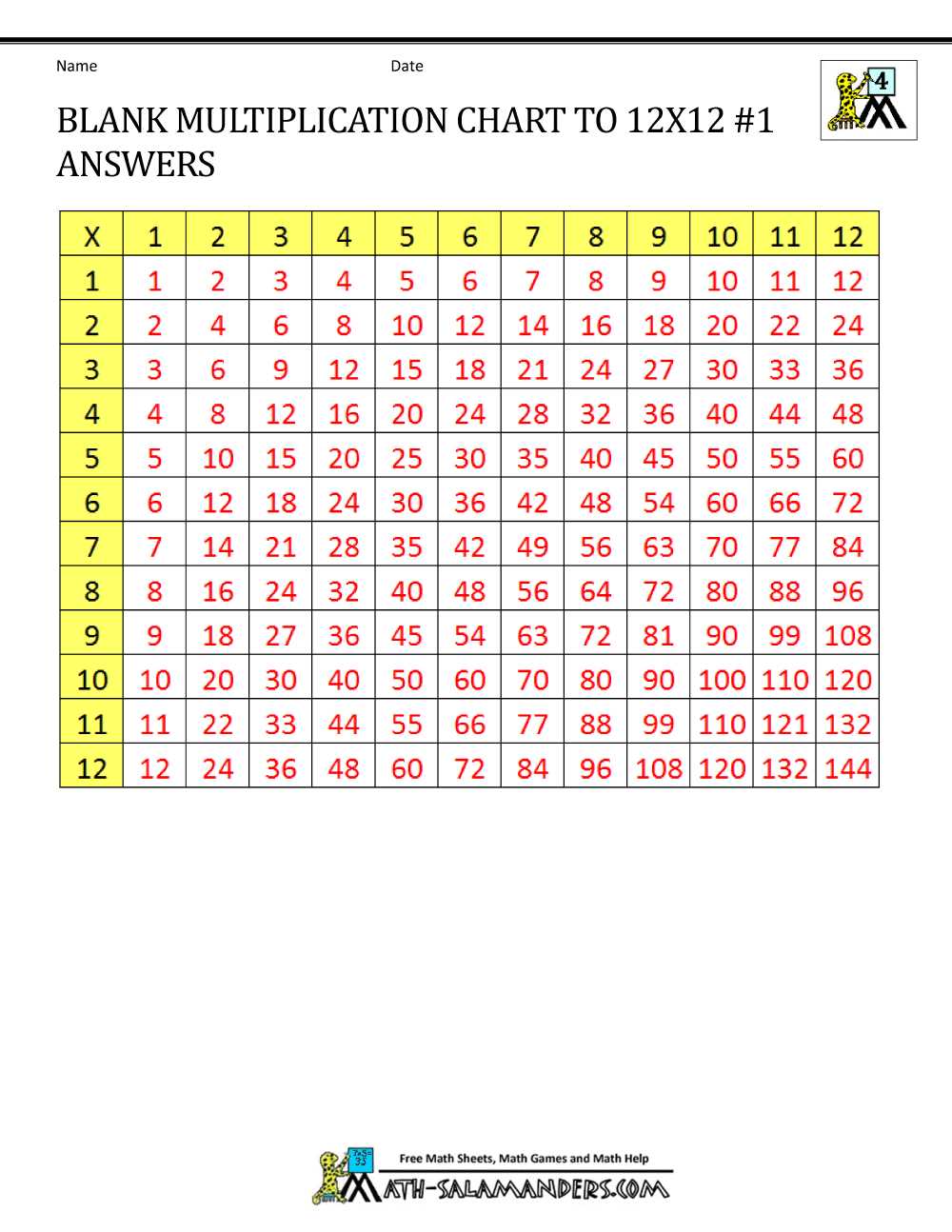
When introducing basic number patterns, use a well-organized grid that helps students visualize the relationships between numbers. A clearly structured reference can help 4th grade learners quickly master their times tables and make solving math problems easier.
Start with a chart that includes numbers 1 through 12, as these are the most commonly used for initial practice. Ensure the layout is simple, with one number on the horizontal axis and another on the vertical axis, forming a matrix. This setup makes it easier for students to locate products quickly.
Use color-coding to highlight specific sections of the grid. For instance, you could color all multiples of 5 in blue or multiples of 2 in green. This visual aid can make it easier for students to identify patterns and see the relationships between numbers, improving their ability to recall facts more efficiently.
Encourage students to refer to the grid regularly, especially when practicing homework or studying for tests. The repetitive use of the chart helps reinforce memory and increases speed when solving problems. Try using timed drills to help students improve their recall abilities.
To further reinforce learning, give students blank grids to fill in as practice. This exercise challenges them to recall and apply multiplication facts without relying on a printed reference, strengthening their skills and confidence in solving math problems on their own.
If students struggle with memorizing facts, consider using a step-by-step approach. Have them focus on one set of numbers at a time, such as the 2s, 3s, or 4s, until they can recall each product. Once comfortable with one set, move on to the next set. Gradually, they will gain fluency across the entire grid.
Incorporate games and challenges with the reference tool to keep students engaged. For example, quiz students on random products or have them race against the clock to fill in as many products as they can in a set amount of time. These fun exercises will help reinforce their learning while keeping them motivated.
For students who grasp the concepts quickly, introduce more advanced practice by including larger numbers and additional challenges. Use problems that require students to solve real-world math scenarios, encouraging them to apply their multiplication skills in different contexts. This will deepen their understanding and mastery of the concepts.
How to Download and Print a Multiplication Grid for Classroom Use
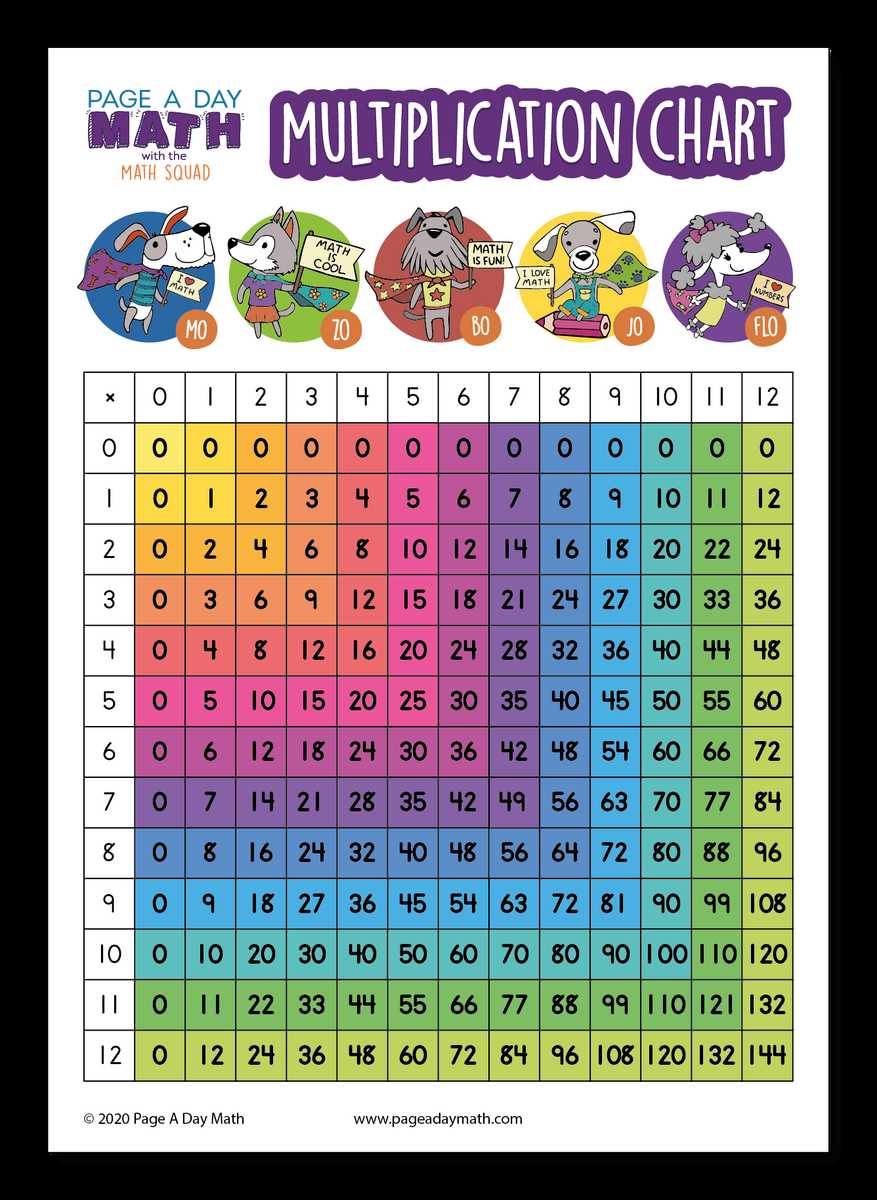
To get started, search for a reliable website that offers downloadable grids. Focus on one that provides a clear, well-organized layout with numbers listed along the top and side. Many resources offer various designs, so choose one that is simple and easy for students to follow.
Once you find the correct file, check the format. PDF files are often the best choice because they preserve the layout and ensure consistency when printed. Make sure the file is formatted to fit standard paper sizes, such as 8.5 x 11 inches, to avoid printing issues.
After downloading the file, open it in your PDF viewer and select the appropriate print settings. Check that the print scale is set to 100% so the grid is printed at the right size. Some files may include a smaller version or may need to be scaled to fill the page properly.
- Select “Actual Size” under print settings for accurate dimensions.
- If your printer supports double-sided printing, you can save paper by printing on both sides.
- Ensure your printer is set to the highest quality for crisp, clean lines.
If you plan to distribute the grid to multiple students, consider printing multiple copies at once. If you only need one, adjust the number of copies accordingly to avoid unnecessary printing.
Once printed, check that all numbers are legible. If needed, consider printing on thicker paper or laminating the grid to increase its durability, especially if it will be used frequently in the classroom.
For a more interactive experience, encourage students to fill in the grid with colored pens or markers. This hands-on approach can help reinforce the concepts and keep students engaged while using the grid as a reference tool throughout lessons.