To achieve true-to-life colors in your photos, always use a color reference tool during your shoot. Place it in your scene to help adjust the tones in your images for proper color correction. This method ensures that your images are consistent across various lighting conditions, whether you’re shooting indoors or outdoors.
Having a reliable reference for color temperature is key to avoiding color casts, which can make your images look unnatural. Simply include a reference object in your shot, and use it during post-processing to correct white and neutral tones. This process works for both digital and film photography, giving you flexibility and control over your final output.
Printing your own reference tool is a cost-effective solution. You can easily create one at home by using high-quality paper and a template, making sure it’s the correct size for your camera and shooting environment. With a printed reference, you can quickly integrate color correction into your workflow without needing expensive equipment.
Using a Color Reference Tool in Photography
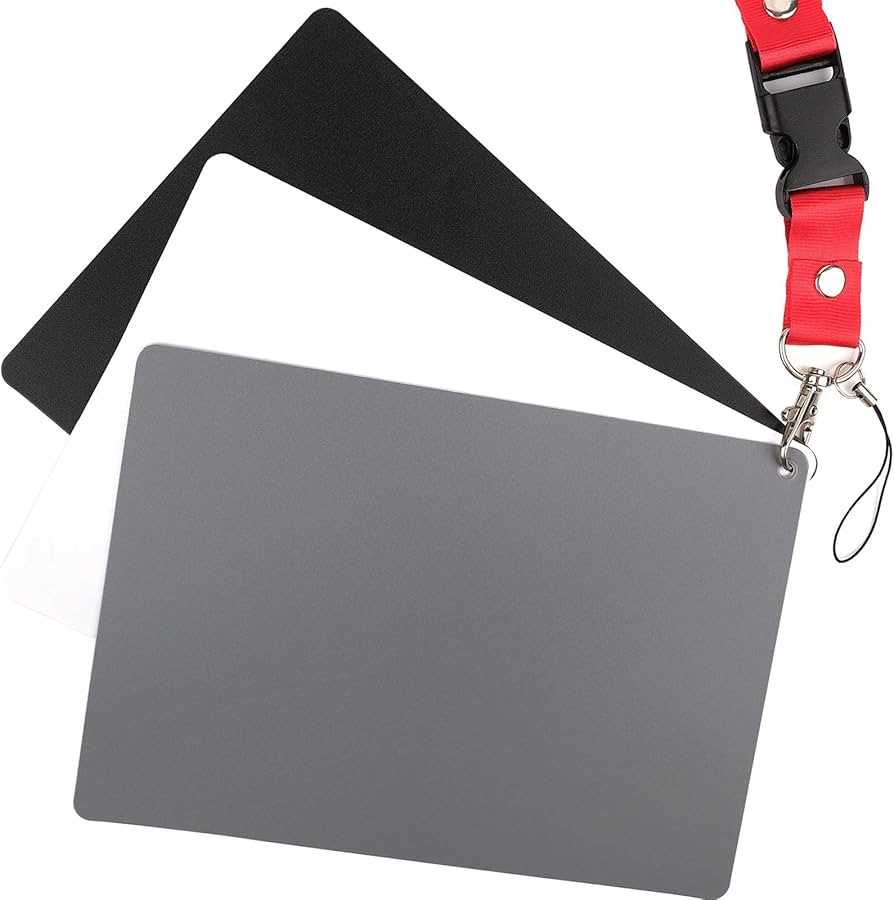
To ensure accurate color reproduction in your photos, use a color reference guide during your shoot. Simply place it in the scene, and later use it for correcting the colors in your images. This is especially helpful when shooting in mixed lighting conditions, like artificial and natural light sources.
By incorporating this tool, you can remove unwanted color tints from your pictures, resulting in natural-looking whites and neutrals. This technique is beneficial for both beginners and experienced photographers, as it saves time in post-processing by eliminating the need for manual adjustments.
Printing your own color reference at home is a cost-effective method. You can use a high-quality template, ensuring it’s the right size and easily visible in the frame. This will make it easier to adjust the color temperature in post-processing, ensuring that your images look true-to-life.
When using a color reference tool, make sure to place it in a neutral part of your image. Ideally, it should be placed in a spot that represents the majority of your scene’s color balance. This way, you can easily use it for correcting your white and gray tones during editing.
Consider printing the guide on durable material, like photo paper or a heavier cardstock, to ensure it’s long-lasting. A sturdy reference will hold up better under various conditions, especially if you’re shooting outdoors or in rough environments.
For maximum flexibility, print several guides in different sizes. This allows you to have the right size for any shooting situation, whether you’re photographing close-up details or wide shots. A smaller guide works well for compact spaces, while a larger one is suitable for more expansive scenes.
Once you have the reference tool ready, use it in every shoot for consistent results. Over time, you’ll notice how much easier it becomes to achieve accurate color tones in your images. Having this simple tool at hand will streamline your workflow and improve the overall quality of your photographs.
How to Use a Color Reference Tool for Accurate Color in Photos
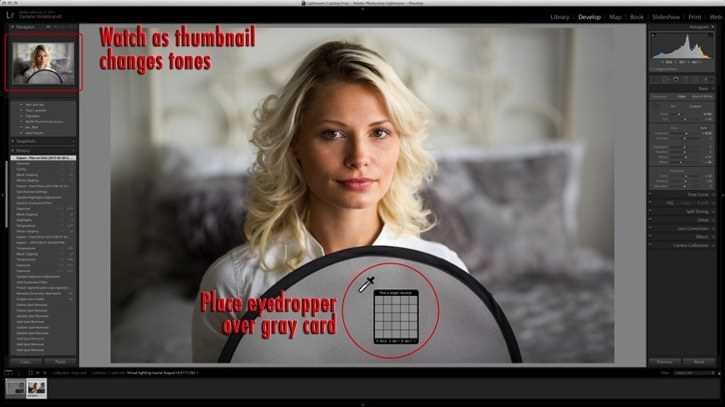
To get accurate color reproduction, start by placing a color reference tool in the scene before you start taking photos. Position it where it will be visible in the frame, ideally in a neutral part of your image. This will act as a point of reference for correcting color during editing.
Ensure that the reference tool is well-lit and free from shadows. The lighting should be similar to the one you’ll be using for the entire shoot. If you’re using artificial light, make sure it’s consistent across your setup, as this will prevent unexpected color shifts in the final image.
Once the tool is placed in your shot, take a few test images. Be sure to capture different angles and focal lengths, so the reference object is consistently visible in all shots. This gives you more flexibility when adjusting the colors later on.
After shooting, import the images into your editing software. Use the color reference as a guide to adjust the tones in the image. In most editing programs, you can use the tool’s color picker to select the reference point, and then apply the correct temperature or tint to the rest of the image.
- Place the reference in the frame before shooting for consistent results.
- Ensure proper lighting to avoid color distortions.
- Take multiple shots with the reference in different positions to maximize flexibility.
By using this reference, you can eliminate unwanted color casts that might occur due to mixed lighting conditions. Whether you’re shooting outdoors in sunlight or indoors under artificial lights, this technique ensures that your images stay true to real-life colors.
Finally, keep the reference with you during your shoots. It’s a quick and simple tool that can significantly improve the accuracy of your color editing process. Over time, you’ll find that using this tool becomes second nature and an integral part of your photography workflow.