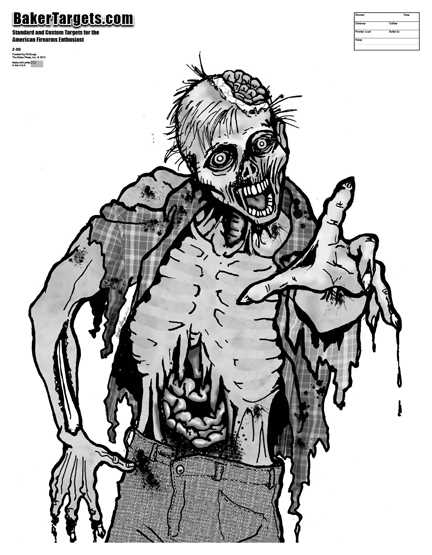
For high-quality results, start by selecting files in PNG or TIFF format. These formats preserve details and ensure that your prints are sharp and clear, perfect for any activity requiring precision. Steer clear of lower-resolution JPEGs, as they often lack the necessary clarity for detailed designs.
Next, choose the right paper for printing. For sturdier targets, use heavy cardstock or matte photo paper. These materials provide a solid base for repeated use and enhance the overall appearance, ensuring the designs hold up well even after multiple sessions.
Once you’ve selected your image and paper, be sure to check the printer settings. Scale the design to fit your needs–whether you’re creating a larger target for broad shots or a smaller one for precise practice. Preview the design before printing to avoid errors and ensure a clean, accurate result every time.
Target Practice for Themed Activities

For precise practice, select images that feature clear outlines and bold details. These designs are ideal for building accuracy and focus. The simplicity of the visuals allows you to concentrate on hitting specific points, whether for general practice or specific skill improvement.
Ensure you print the images on durable materials like heavy cardstock. This will prevent the targets from tearing during use, providing a consistent surface for your practice sessions. You can also laminate the designs for long-term use, especially if you intend to reuse them multiple times.
If you need more challenging drills, consider scaling the images down. Smaller, more intricate designs force you to refine your accuracy, making each shot more intentional. Adjusting the size of the targets can help simulate different difficulty levels for various practice sessions.
For added realism, you can print multiple variations of the design and place them at different distances. This method simulates real-life conditions, enhancing your ability to adapt and improving your reaction time. Varying the target distance will allow you to practice shooting from different angles and positions.
Another useful tip is to print multiple copies of the same target. This way, you can track your progress over time, noting where your shots land on each session. Having a visual reference helps improve consistency and highlights areas where more focus is needed.
Finally, don’t forget to adjust your printer settings before printing. Ensure the design is scaled properly to fit your intended use. Always preview the image to confirm that it’s the correct size, and double-check the print quality to avoid any unwanted distortions or issues during the session.
How to Download and Print Target Designs
To begin, search for designs in high-resolution formats such as PNG or TIFF. These formats retain crisp details and are better suited for printing, ensuring your targets will look sharp and clear on paper.
Once you find the design you want, click the download button and save the file to your computer. Always check the file size before downloading; larger files typically offer better quality and allow for more flexible printing options.
After downloading, open the file in a program that supports the format. Ensure the design is correctly oriented for printing. You can resize the image within the software if you need to adjust the dimensions to suit your project or space.
Before printing, check your printer settings. Make sure the image resolution matches the capabilities of your printer. Opt for the highest quality print setting available to avoid any loss of detail. If your printer supports borderless printing, choose that option for a more seamless printout.
Next, select the appropriate paper type. For durable prints, use heavier cardstock or photo paper. These materials are more resistant to wear and will hold up better during repeated use, especially for more intensive practice sessions.
Finally, ensure that your printer is properly aligned and has sufficient ink before starting the print job. After printing, allow the ink to dry fully before handling the paper to avoid smudging. Once the print is dry, you can start using your target design for practice or fun activities.