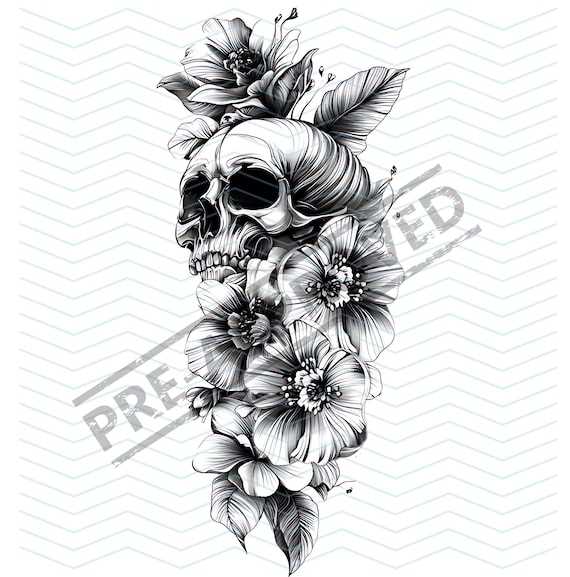
For an accurate and intricate design, start with a pre-made template that you can print and apply directly to the skin. This saves time and ensures precision when transferring complex artwork. Choose a design that aligns with the style and size you envision, ensuring it fits comfortably on the body’s contours.
The most reliable approach is to print your template on high-quality paper that will hold ink well and resist smudging. Make sure your printer settings are correct, especially the size and alignment, so the final printout matches your intended scale. Once printed, carefully cut out the pattern to avoid damaging the edges.
When transferring, use a transfer paper designed for temporary designs. Position the template securely, ensuring there are no air bubbles or shifts. Press the design firmly against the skin to make sure all lines are visible and well-defined. If you’re working on a larger piece, take extra care in sections to prevent the stencil from moving during application.
Choosing the Right Template for Detailed Designs
Start by selecting a design template that suits your artistic vision. Look for clear, bold outlines that capture the essence of the style you want. Intricate details such as shading or facial features should be well-defined, so they are easily traceable during application. This ensures that the end result looks sharp and precise.
When choosing a design, consider its size in relation to the area you plan to cover. Large and intricate patterns require a bigger printout, whereas smaller, simpler designs may fit well on a smaller space. Double-check the print settings on your printer to ensure the dimensions match what you need for a smooth transfer.
High-quality printer paper can make a significant difference in the clarity of your transfer. Use paper that won’t bleed or smudge when touched. Specialty transfer papers are available if you plan to directly apply the design to the skin. This material allows for better adherence and more accurate lines when you press it onto the skin.
Before applying, make sure the area where you intend to place the design is clean and dry. Wipe the skin thoroughly with a mild cleanser, then dry it completely. This helps the design adhere more effectively, preventing smudging or distortion as you trace the template.
Once your template is ready, position it carefully on the skin. Secure it with a small amount of tape if necessary, ensuring it doesn’t shift during the application process. For larger designs, break the process into sections to avoid any mishaps, especially if you’re transferring a complex image.
- Ensure no air bubbles are trapped between the skin and the design.
- Press down evenly to transfer the lines with accuracy.
- Check the transfer after lifting the paper to ensure the design is clear and fully visible.
After the design is transferred, you can either proceed with your work or refine the lines as needed. Keep your tools sharp, and make sure the design’s detail stands out. Having a clean, accurate outline ensures that the final result will be sharp and clean.
How to Choose the Right Skull Tattoo Stencil for Your Design
Select a design based on the style and complexity you want to achieve. If you’re aiming for a more minimalist look, choose a template with clear, simple lines that won’t require excessive detail. For more intricate designs, go for templates with detailed shading and finer lines, making sure your chosen design fits the area where it will be applied.
Consider the size of the area to be covered when selecting a design. Larger pieces may need stencils with a larger scale or multiple sections to fit. Ensure the proportions of the template align with your desired placement on the body. If the design is too small or large, the outcome may not look balanced, so always match the stencil size with your vision.