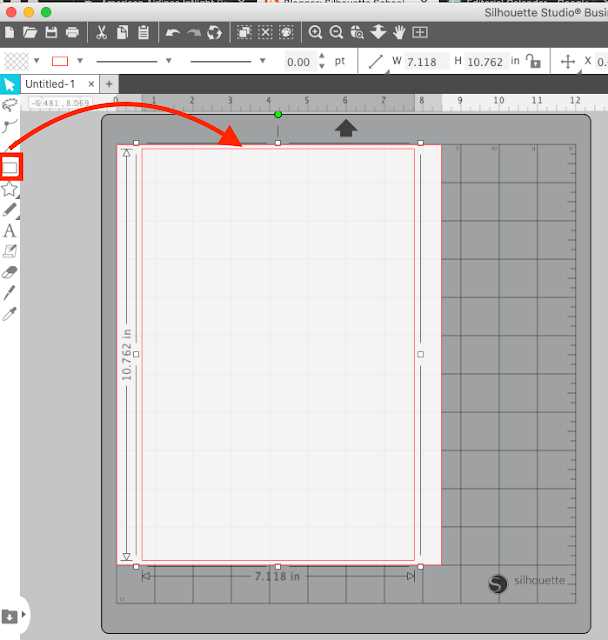
Start by ensuring you are using the correct material designed specifically for inkjet printers. Select a type of transfer material that is optimized for printing, ensuring compatibility with your printer’s capabilities. Make sure the vinyl is compatible with your fabric type and color to achieve the best transfer results.
Next, load the transfer paper into your printer, following the manufacturer’s guidelines. Pay attention to the paper’s orientation–usually, the printable side should be facing up. Adjust your printer settings according to the material type to avoid any ink smearing or poor quality output.
After printing your design, let the printed transfer sit for a few minutes to allow the ink to dry completely. This step reduces the chances of the ink smearing when heat is applied. Now, it’s time to prepare your fabric. Preheat the fabric if necessary and position the transfer material on it, ensuring it’s aligned properly.
How to Choose the Right HTV for Inkjet Printing
First, consider the type of fabric or material you will be transferring the design onto. If you are working with cotton or polyester, ensure the transfer material is specifically made for those fabrics. Some materials may only work well with specific types of cloth, which could affect the quality of the final result.
Check whether the transfer material is designed to work with your specific printing device. Not all transfer sheets are compatible with every printer, and using the wrong one could lead to poor image quality or even damage your printer. Verify compatibility with your printer’s capabilities before purchasing.
The next step is to look at the finish of the material. Some transfers give a matte finish, while others offer a glossy or satin look. The type of finish can dramatically impact the final appearance of your design, so select a material that matches your desired aesthetic.
When choosing the right material, pay attention to the thickness. Thicker materials often yield better durability and will not peel off easily, while thinner materials may not withstand multiple washes. Consider the longevity you require from your transfer before making a decision.
Lastly, ensure that the transfer material is heat-resistant and can withstand the temperature required by your printer and heat press. If the material cannot withstand the necessary heat levels, the design may not adhere properly, leading to a poor result. Double-check the manufacturer’s guidelines for heat settings to avoid mistakes.
Step-by-Step Guide to Printing on HTV with an Inkjet Printer

Start by selecting the correct transfer material that is compatible with your printer. Ensure the material is specifically designed for use with ink-based printers. This will prevent any issues with ink absorption or uneven results during printing.
Once you have the right material, place it correctly into your printer. Most transfer sheets have a designated printable side, which you need to align properly in your printer’s paper tray. Check the manufacturer’s instructions for details on which side should face up or down.
Next, adjust your printer settings. Choose the highest print quality available to ensure crisp, vibrant designs. Use the “photo paper” setting if your printer has it, as it will accommodate the special material and ensure better ink adhesion.
Before printing, design your image with attention to detail. Be sure to mirror your design, especially for text, as it will be transferred onto the final material in reverse. Many design programs or printers have a mirror-image option that can automatically adjust your artwork.
Now, send your design to print. Monitor the printer as it works to ensure the transfer material is feeding properly and that there are no jams or misprints. After printing, allow the design to dry for a few minutes to prevent smudging or bleeding of the ink.
Finally, cut out your design and follow the heat transfer instructions specific to your material. Use the correct heat press or iron settings, pressing the design onto your fabric or project surface carefully. Make sure to apply consistent pressure and temperature for the best results.
Tips for Properly Applying HTV Transfers to Fabric
Start by preheating your fabric before applying the design. This will help remove any wrinkles and moisture, ensuring that the transfer adheres properly. Use a heat press or iron set to the recommended temperature for the material you’re working with.
When positioning your design, ensure that it is perfectly aligned with the fabric. A ruler or grid pattern on the material can help with precise placement. Avoid moving the design once it’s placed, as this may lead to misalignment or uneven pressure during pressing.
Apply even and consistent pressure while pressing. Whether you’re using an iron or heat press, it’s important to press down firmly without shifting the material. Follow the recommended time and temperature settings, but always check the material and design for adherence before removing the heat source.
After the transfer is applied, allow it to cool down before peeling off the protective film. Ensure that the design is fully adhered to the fabric. If necessary, press it again for a few seconds to fix any areas that may not have fully bonded. This ensures a durable, long-lasting design.