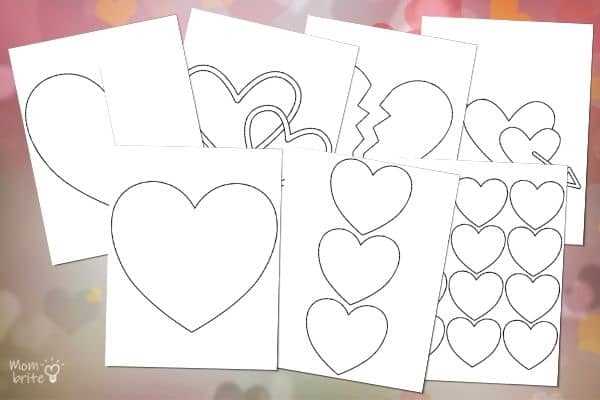
Choose a high-resolution vector outline scaled to at least 8.5×11 inches or A3 format to avoid pixelation during enlargement. A clean contour with a 2–3 pt stroke ensures sharp edges after cutting, while a fill-free interior makes the figure suitable for tracing onto cardboard, felt, plywood, or wall decals. For posters or classroom decor, select a PDF file set at 300 DPI to maintain smooth curves on expanded prints.
Adjust the proportions before output: a wider upper curve creates a softer silhouette for greeting boards, while a slightly elongated bottom point works better for garlands and window displays. Use tiling settings in your printer dialog to split the design across 4–9 sheets, then align the margins using trim marks. For foam board transfers, apply temporary spray adhesive to the back of the paper pattern to prevent shifting during cutting.
For reusable stencils, transfer the contour onto 200–250 gsm cardstock or acetate sheets at least 0.2 mm thick. Lamination increases durability for repeated classroom or event use. If the shape will serve as a sewing pattern, add a 0.5–1 cm seam allowance around the perimeter before printing. When decorating walls, test-scale the file at 50% first to verify visual balance within the intended space, then proceed with full-size output once placement is confirmed.
HTMLLarge Printable Heart: Practical Uses, Sizing, and Print Setup
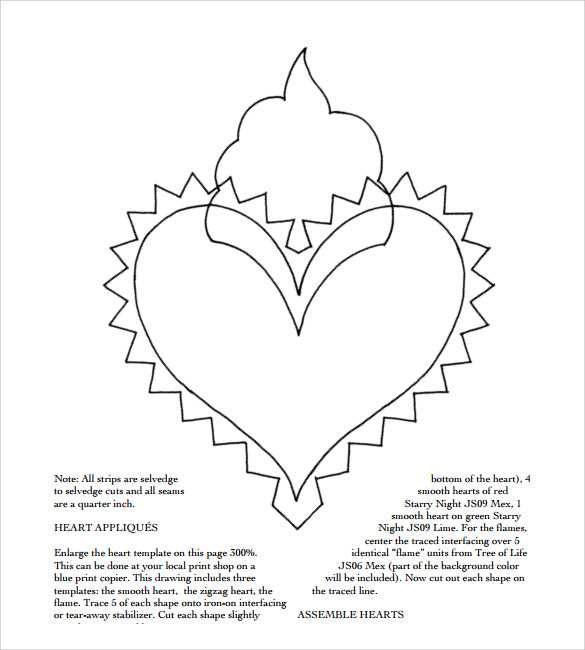
Select a vector-based red silhouette in SVG or high-resolution PDF format at 300–600 DPI to avoid jagged edges when scaling beyond standard letter size. For wall décor or classroom displays, set the width between 18–24 inches and export as a tiled poster file that splits across 4–9 sheets (Letter 8.5×11 in or A4 210×297 mm) with 0.25-inch overlap for precise alignment. For craft tracing, choose a clean outline stroke of 2–4 pt and remove interior fills to reduce ink usage by up to 70%. When preparing for cutting on cardstock (200–250 gsm), expand the margin to at least 0.5 inch and disable “fit to page” so proportions remain exact; distortion above 3% becomes visible along curved edges.
For event backdrops or shop windows, scale the romantic shape to 36–48 inches and use the printer’s poster mode with 100% scale, bleed disabled, and crop marks enabled. In the print dialog, select “Actual Size,” set orientation manually (portrait for taller forms, landscape for wider variants), and choose matte paper to prevent glare under indoor lighting above 500 lux. If assembling multiple sheets, trim only the right and bottom margins to maintain consistent alignment, then secure from the center outward to avoid air bubbles. For reusable stencils, mirror the outline before output and transfer onto adhesive vinyl or acetate sheets 0.2–0.3 mm thick; this thickness balances rigidity and easy cutting with a craft knife at a 45° blade angle.
How to Choose the Exact Dimensions and Page Layout for a Large Printable Heart Template
Measure the final display area first and define the exact width and height in inches or millimeters before opening any design file. For example, if the cutout must fit a 24×36 inch poster board, set the shape width to 20–22 inches to leave a 1–2 inch margin on each side. For wall décor above a crib or desk, common target widths are 18, 24, or 30 inches; choose the size that leaves at least 6 inches of free space around the composition to avoid a cramped look.
Select the paper format based on the maximum size your printer supports. Standard US Letter (8.5×11 in) allows a single-piece symbol up to about 7.5×10 inches after margins. A4 (210×297 mm) supports approximately 190×277 mm of usable area. If you need a 28-inch wide silhouette and only have Letter sheets, divide the design across 4×4 pages with 0.5-inch overlap for taping.
Use proportional scaling to preserve symmetry. Keep the width-to-height ratio consistent; classic romantic outline proportions range from 0.95:1 to 1.1:1 (width slightly greater than height). Lock aspect ratio in your PDF viewer or design software and enter a fixed percentage (for example, 400% enlargement) rather than adjusting width and height separately.
Plan page tiling with precise overlap settings:
- Set overlap between pages to 0.3–0.5 inches for clean alignment.
- Enable trim marks or tile labels (A1, A2, B1, B2) for faster assembly.
- Print a single corner page first to verify scale accuracy with a ruler.
- Disable “Fit to page” to prevent automatic shrinking.
Account for printer margins and non-printable zones. Most home printers leave 0.2–0.5 inches unprinted on each edge. If the curved top lobes reach the page border, shift the design inward by at least 0.25 inches. For borderless-capable printers, activate borderless mode but test on plain paper to confirm no edge cropping.
Choose orientation deliberately. Portrait orientation suits taller proportions and minimizes page count for vertically elongated shapes. Landscape orientation reduces the number of horizontal tiles when the design is wider than tall. Rotate the file 90 degrees if that reduces total sheets by at least one full row.
Match thickness and intended use with scale. For yard decorations viewed from 15–20 feet away, increase width to 30–36 inches for visibility. For classroom crafts handled by children, limit each cutout to 10–14 inches wide to fit comfortably on standard cardstock. If transferring onto foam board or plywood, add 3–5% extra size to compensate for trimming inaccuracies.
Verify final dimensions after printing by measuring the assembled outline corner to corner. Acceptable deviation should not exceed 1–2% of the planned size (for a 24-inch design, that is about 0.25–0.5 inches). If scaling errors appear, reprint with exact percentage input rather than auto scaling, and recheck alignment before cutting the full shape.