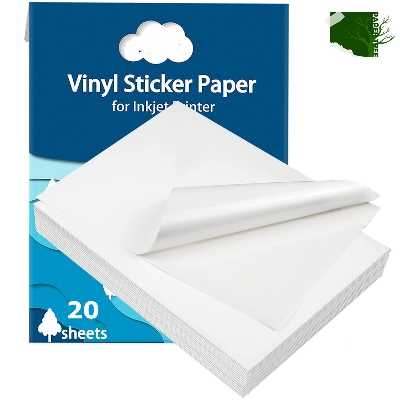
Choose self-adhesive polymer sheets with a thickness of 100–120 microns if you want crisp graphics that resist moisture and scratching. Materials in this range feed smoothly through most inkjet devices and maintain shape after cutting. For pigment-based inks, select a matte coating; for dye inks, a glossy surface delivers deeper color saturation and sharper edges.
High-grade adhesive film is typically made from flexible PVC or polypropylene and includes a pressure-sensitive backing protected by a peel liner. Look for products rated for at least 1440 dpi output, as lower ratings often lead to fuzzy text and color bleeding. Temperature tolerance also matters: sheets designed to handle −20°C to +60°C perform better on outdoor labels, vehicle decals, and tool markings.
Printer compatibility determines the final result more than brand reputation. Inkjet units with rear manual feed paths reduce curling, while laser machines require heat-stable synthetic media specifically marked for toner fusion. Set the media type in your driver to “photo” or “label stock,” and disable high-speed mode; this slows the carriage slightly and improves ink placement accuracy.
For long-lasting results, allow the printed surface to dry for at least 15–30 minutes before cutting or lamination. If the design will face sunlight or abrasion, apply a clear protective overlay. Proper material choice combined with correct device settings produces sharp, durable graphics suitable for packaging, signage, and custom product branding.
Vinyl Printable Paper: Practical Guide for Selection and Use
Choose a coated adhesive film that matches your printer type first: inkjet models require a microporous ink-receptive layer, while laser devices need heat-resistant polymer sheets rated for at least 200 °C. Check thickness before purchase–80–100 microns works for labels and decals, whereas 120–150 microns holds shape better for outdoor graphics. For exterior use, confirm the backing is waterproof and UV-stable for at least 2–3 years of fade resistance. A matte surface hides minor scratches and fingerprints; a glossy finish delivers higher color density but shows surface defects more easily.
Before feeding the material, set the printer to “photo” or “high quality” mode and disable fast-dry options; slower ink deposition reduces banding. Load one sheet at a time to prevent roller slippage, especially with thicker polymer stock. After printing, allow pigment inks to cure for 15–30 minutes and dye inks for up to 24 hours before cutting or laminating. If you plan contour cutting with a plotter, leave at least a 3 mm margin to avoid edge lifting. For added durability, apply a clear overlaminate rated above 80 microns when the graphic will face moisture or abrasion.
Store unused sheets flat at 18–24 °C with relative humidity between 40 % and 55 %. Excess humidity softens the adhesive layer and causes feed errors, while very dry air can produce static that attracts dust under the coating. When applying finished decals, clean the target surface with isopropyl alcohol (70 % or higher) and wait until fully dry; even small grease traces reduce bond strength. Press from center outward using a felt squeegee at a 30–45° angle to eliminate trapped air. Proper handling at each step significantly extends the lifespan of the finished graphic.
How to Choose the Right Type of Vinyl Printable Paper for Inkjet vs Laser Printers
Choose media designed specifically for your printer technology first: dye-based or pigment-based inkjet units require absorbent polymer sheets, while laser machines demand heat-resistant synthetic film that tolerates fuser temperatures above 180 °C. Mixing them leads to smudging, toner flaking, or warped labels.
Inkjet devices rely on liquid ink absorption, so the surface coating must be microporous or swellable. Look for products labeled for water-based systems with a quick dry time under 5 minutes and an ink load capacity of at least 15–20 ml/m². Gloss and matte finishes behave differently: glossy coatings deliver sharper color density but need longer curing, while matte layers reduce glare and handle pigment ink better. Thickness between 90–120 microns feeds smoothly through most desktop inkjets without roller slippage.
Laser printers operate through heat and pressure, which changes the selection rules. The film must have:
- Heat tolerance above 200 °C
- Polyester or specially treated PVC base
- Low surface porosity for toner adhesion
- Anti-curl backing
If the sheet is too soft, it can melt onto the fuser sleeve; if too thick (over ~150 microns), many office lasers will jam.
Check adhesive strength against your application. Permanent acrylic backing rated 18–25 N/25 mm works well for outdoor decals, while removable glue around 8–12 N/25 mm suits temporary signage. Inkjet media often uses water-based adhesive systems, whereas laser-compatible stock more often uses solvent acrylic to survive heat cycles.
Printer feed path matters more than many expect. Rear-feed inkjets tolerate thicker flexible sheets and textured finishes. Front-loading laser machines prefer perfectly flat stock with minimal curl (less than 3 mm lift on A4). Before buying in bulk, run a small batch test and check:
- Edge lifting after 24 hours
- Scratch resistance with a fingernail rub
- Color bleed on dark fills
- Feeding consistency across 10 consecutive prints
Environmental exposure also guides the choice. For outdoor graphics, pick inkjet media with waterproof topcoat plus optional cold lamination; unprotected dye prints can fade within weeks under UV. Laser toner bonds more firmly to synthetic film, so outdoor life often exceeds 12 months without extra coating, provided the base layer includes UV stabilizers.
Match finish, thickness, adhesive, and thermal tolerance to your printer type and use case, and avoid “universal” sheets unless verified by real test prints; they rarely deliver equal results on both ink-spray and toner-based machines.