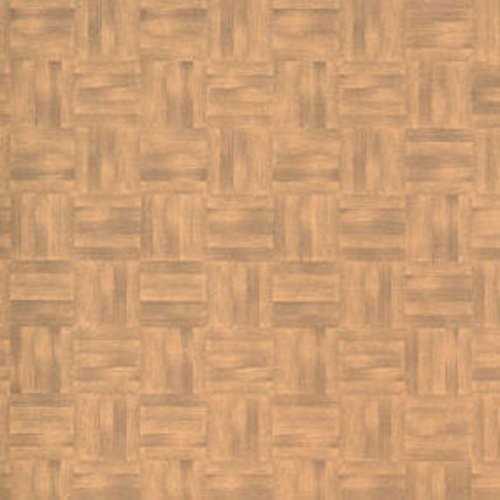
Choose textured tile, parquet, or plank patterns scaled at 1:12 or 1:24 to match your miniature rooms, and print them at 300–600 dpi on matte paper with a плотность 160–200 gsm for realistic thickness. For kitchens and bathrooms, select high-contrast ceramic grids sized 2–3 cm per tile in real scale (approximately 1.6–2.5 mm in 1:12). For living areas, opt for oak or walnut plank layouts with board widths of 8–12 cm in real scale (6–10 mm in 1:12) to avoid oversized visuals.
Use a laser printer for sharper grout lines and seal the sheet with a thin acrylic spray to prevent ink bleeding during gluing. Apply adhesive evenly with a foam brush, then mount the sheet onto 1 mm cardboard to prevent warping. For aged interiors, lightly sand the surface with 800–1000 grit paper and add diluted brown or gray acrylic wash along plank seams. Marble motifs benefit from semi-gloss varnish, while rustic wood textures look more convincing under a matte finish.
Plan layout direction before fixing the sheet: run boards parallel to the longest wall to visually extend the room, and align tile grids from the center outward to keep cut edges symmetrical. Print two extra copies of the same pattern to cover mistakes or to layer sections for raised thresholds between rooms. Keep spare fragments stored flat to patch corners or staircase landings later without visible shade variation.
Free Printable Dollhouse Flooring: Practical Selection and Use Guide

Choose a scale-accurate pattern that matches your miniature interior ratio: for 1:12 scale, a 20 cm real plank should measure 16–17 mm on paper; for 1:24 scale, reduce it to 8–9 mm. Before printing, verify tile grids with a ruler in the PDF preview and adjust scaling to 100% without “fit to page” to avoid distortion.
Select paper density based on the room’s function. Kitchens and bathrooms benefit from 160–200 gsm matte stock that resists warping after glue application. Bedrooms and living areas can use 120–160 gsm for easier trimming around baseboards and door frames. If applying to MDF or foam board, lightly sand the surface and remove dust to prevent bubbles.
Match texture type to interior style using a targeted shortlist:
- Oak or walnut plank patterns for classic living rooms (5–7 mm plank width at 1:12 scale).
- Black-and-white checker tiles for vintage kitchens (10–12 mm squares at 1:12).
- Marble sheets with subtle veining for entry halls (avoid high-contrast veins that overscale visually).
- Pastel terrazzo for children’s rooms (chip fragments under 2 mm at 1:12).
Calibrate printer settings to maintain color accuracy. Use photo mode with matte paper profile, disable automatic color enhancement, and print a 5×5 cm test swatch. Compare against furniture tones; if wood textures appear too red, reduce magenta by 5–10% in printer properties. Let sheets dry flat for at least 15 minutes before cutting.
Plan sheet layout to minimize seams. Measure the miniature room, then arrange pattern repeats so plank or tile lines align with the longest wall. For rooms wider than one A4/Letter sheet, overlap 2–3 mm and trim through both layers with a metal ruler for invisible joints. Dry-fit all pieces before applying adhesive.
Use the right adhesive for the substrate:
- PVA glue diluted 1:1 with water for chipboard bases; apply thinly with a foam roller.
- Double-sided archival tape for removable installations.
- Spray adhesive for large continuous areas; mask walls to prevent overspray.
Seal the surface according to traffic level. Apply two thin coats of water-based matte varnish with a soft brush, sanding lightly with 800–1000 grit between coats. For glossy tile effects, use a clear acrylic gloss layer only after confirming ink compatibility to prevent smearing.
Store unused sheets flat in a dry folder at 18–22°C and 40–60% humidity to prevent curling. Label by scale and room type, and keep a printed 1 cm reference square on each design for future verification before reprinting or resizing.
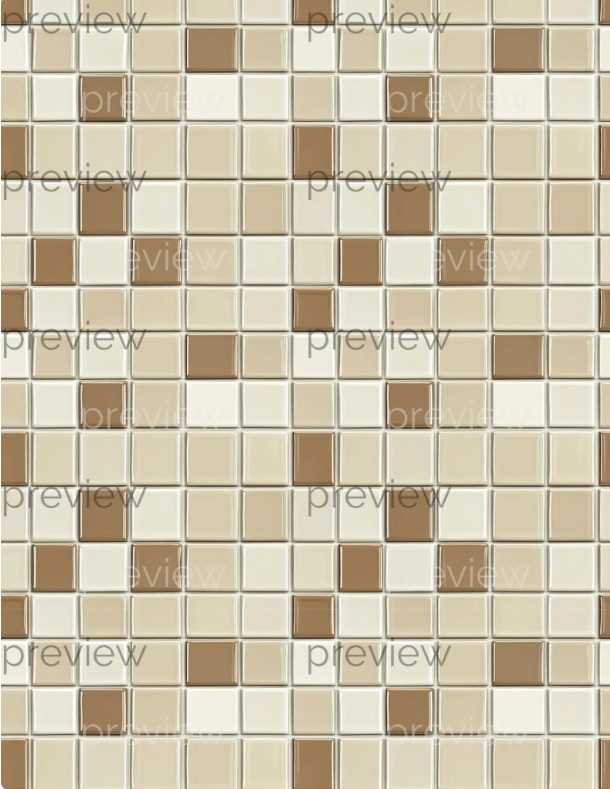
How to Choose the Correct Scale and Resolution for Printable Dollhouse Flooring (1:12, 1:24, 1:48)
Select the scale first and calculate dimensions mathematically: for 1:12, divide real measurements by 12; for 1:24, divide by 24; for 1:48, divide by 48. A real 240 mm wood plank becomes 20 mm in 1:12, 10 mm in 1:24, and 5 mm in 1:48. If a ceramic tile measures 300 × 300 mm in reality, it should appear as 25 × 25 mm in 1:12, 12.5 × 12.5 mm in 1:24, and 6.25 × 6.25 mm in 1:48. Avoid rounding aggressively; rounding 6.25 mm down to 6 mm in 1:48 creates visible proportion errors across repeated patterns.
Match image resolution to the miniature scale and final print size. For 1:12 layouts printed at full page width (A4 or US Letter), prepare artwork at 300 DPI minimum; for detailed parquet or stone textures, 600 DPI preserves grain and grout lines. In 1:24, 300 DPI is usually sufficient because elements are smaller; in 1:48, increase source resolution to 600–900 DPI to prevent blurred plank seams that shrink below 1 mm on paper.
Check pixel-to-millimeter conversion before exporting. At 300 DPI, 1 inch equals 300 pixels, which equals 25.4 mm; therefore, 1 mm equals 11.8 pixels. A 5 mm plank in 1:48 scale must be at least 59 pixels wide to render clean edges (5 × 11.8). If the file provides only 30–40 pixels for that width, the texture will appear muddy. Scale artwork proportionally rather than resizing inside the printer dialog, which can distort repeat patterns.
Account for printer margins and scaling behavior. Disable “fit to page” and set scaling to 100%. Measure a reference square included in the design–add a 10 × 10 mm test box to verify output accuracy with a ruler. A 2% shrink during printing reduces a 20 mm board in 1:12 to 19.6 mm; across a 200 mm room span, the cumulative gap becomes noticeable against walls and baseboards.
Adjust pattern density to the miniature context. Wide oak boards (180–220 mm real width) translate to 15–18.3 mm in 1:12 but only 3.75–4.6 mm in 1:48. In smaller scales, choose narrower plank textures or herringbone layouts with simplified grain to avoid visual noise. For stone or marble, reduce contrast by 10–15% in editing software so veins do not overpower tiny interiors.
Print a single test sheet on the intended paper stock and compare it against scaled furniture. In 1:12 rooms, wood grain lines thicker than 0.3 mm look exaggerated; in 1:48 scenes, grout lines above 0.2 mm dominate the surface. Modify line weights and re-export until measurements align precisely with calculated scale values and the surface reads realistic under close inspection.