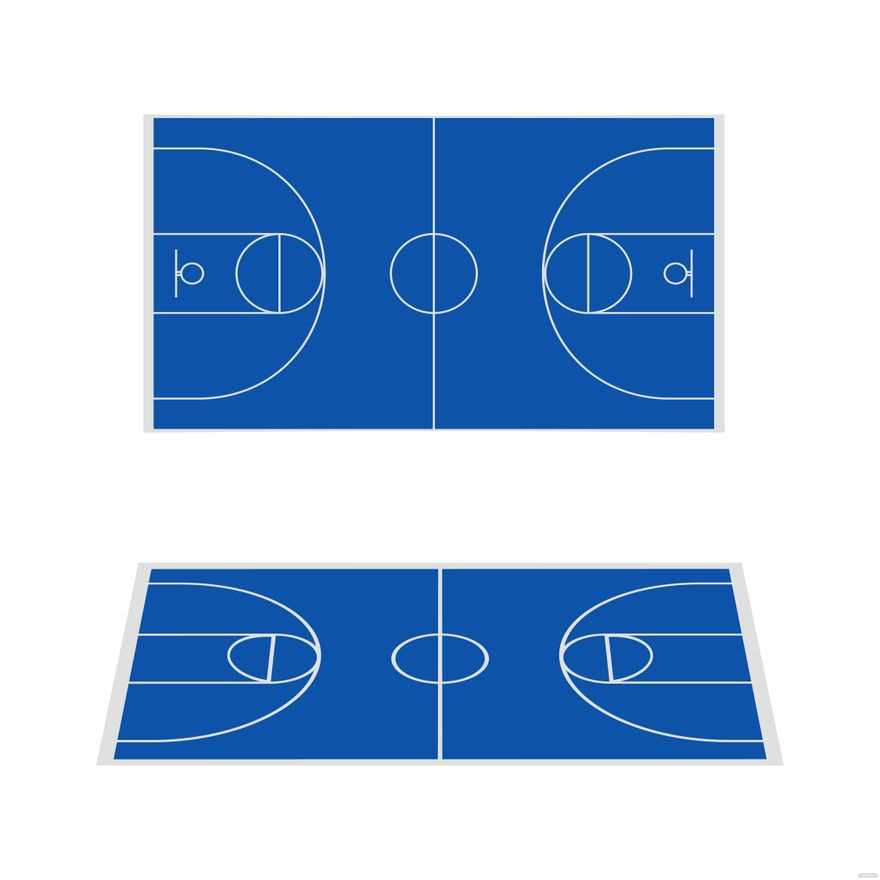
Creating a realistic playing area at home starts with a detailed layout that mirrors official designs. You can print and assemble an accurate layout to fit any space, whether indoors or outdoors. With a few resources, it’s possible to simulate the experience of a full-sized area for practice or casual play.
Focus on scaling dimensions properly, as they influence how true the printed surface will be. A professional-sized area typically measures 94 by 50 feet, but smaller options can be customized to suit your location. Choosing the right print material is key to durability–ensure it withstands foot traffic and outdoor conditions if necessary.
Marking key sections like the free-throw line, three-point arc, and key area should be done with precision. These lines serve as the focal points for training drills and recreational games. Use high-quality ink or materials that resist fading over time to maintain visibility.
With these steps, you can quickly build a functional and accurate surface for practicing shooting, dribbling, and footwork. Whether for a dedicated workout or a quick game with friends, a well-marked layout provides the structure needed for meaningful play.
HTML
How to Create a Custom Court Layout for Practice
If you’re looking to set up a scaled design for training or recreational play, starting with a clean and accurate layout is key. Measure the dimensions of the court carefully to match the exact proportions needed. A standard full-size area typically measures 28 by 15 meters, but adjust depending on your space limitations. This precise measurement ensures that players can get used to correct distances for both free throw lines and three-point arcs.
Consider the surface you’re using to replicate these markings. Use sturdy materials that will not easily fade or peel over time. If you’re working indoors, taping lines on flooring with high-quality masking tape can work well. Outdoors, opt for durable, weather-resistant paint that won’t wash away in rain. Having long-lasting lines means you won’t have to constantly redo them.
For smaller practice areas or temporary setups, focus on the key sections like the free-throw circle and the center jump circle. These elements are essential for many drills. Avoid adding unnecessary markings to keep the layout simple but functional. Whether you’re using a chalk outline or a vinyl template, these markings help simulate the conditions of actual matches without unnecessary clutter.
If you’re designing a court layout for a specific drill, such as a shooting session or ball-handling practice, make sure to place markers where players should aim or start from. For instance, set cones at the three-point line or mark spots for layup drills. This will guide players to focus on technique rather than memorizing complex court boundaries.
When printing your diagram, use an accurate scale to ensure that the space proportionate to your available area. Software tools and printable designs can help you achieve this without needing expert drafting skills. It’s useful to check measurements twice before applying any designs to the floor or placing objects in position to avoid misalignment.
Lastly, consider adding temporary barriers or nets around your practice setup. These features keep the ball in play and prevent distractions. Whether it’s a simple netting system or portable obstacles, these additions allow for more focused sessions and help train players to keep control of the ball during active play.
How to Create a Scalable Printable Basketball Court Layout
Begin with defining the dimensions of the area you want to replicate. A standard setup is 28.7 meters by 15.2 meters. Ensure that your software or drawing tool allows for precise scaling. If you’re working with software like Illustrator or Inkscape, these measurements should be input directly to maintain accuracy.
Use vector graphics to create a flexible design. This format allows for easy resizing without loss of quality. When creating your layout, divide the space into a grid that mirrors the actual structure. The half-court line, free-throw areas, and three-point arc should all be correctly scaled.
The three-point arc is one of the most difficult elements to replicate. In a true setup, the arc extends 6.75 meters from the basket. For scalable versions, you may need to adjust this radius depending on the space you’re working with. Use a circle tool and adjust it to the desired dimensions before positioning it relative to the hoop.
Place the key area or the paint with exact proportions. The width of the key should be 4.9 meters. To achieve this, draw two vertical lines and measure the distance between them. The distance from the baseline to the free-throw line is 5.8 meters, which should be taken into account when laying out the space.
Next, adjust the court’s markings, such as the half-court line, sideline, and baseline. These lines need to be evenly distributed to maintain symmetry. For scalability, ensure each line is proportionate to the layout’s dimensions, with line thickness remaining consistent throughout.
If you plan to print the layout, use a scalable PDF format. This allows you to print it at various sizes without distortion. When printing on large formats like banners or posters, ensure your settings are configured for high resolution to maintain clarity.
Lastly, for a functional design, include all relevant zones like the bench area, timeout spots, and coaching zones. These elements, while often overlooked in a basic drawing, help recreate the full experience when the space is in use.
Once the layout is complete, double-check each measurement using a scale ruler or digital tool. This verification process is essential to ensure that all dimensions are accurate and suitable for your intended purpose, whether it’s for practice or display.